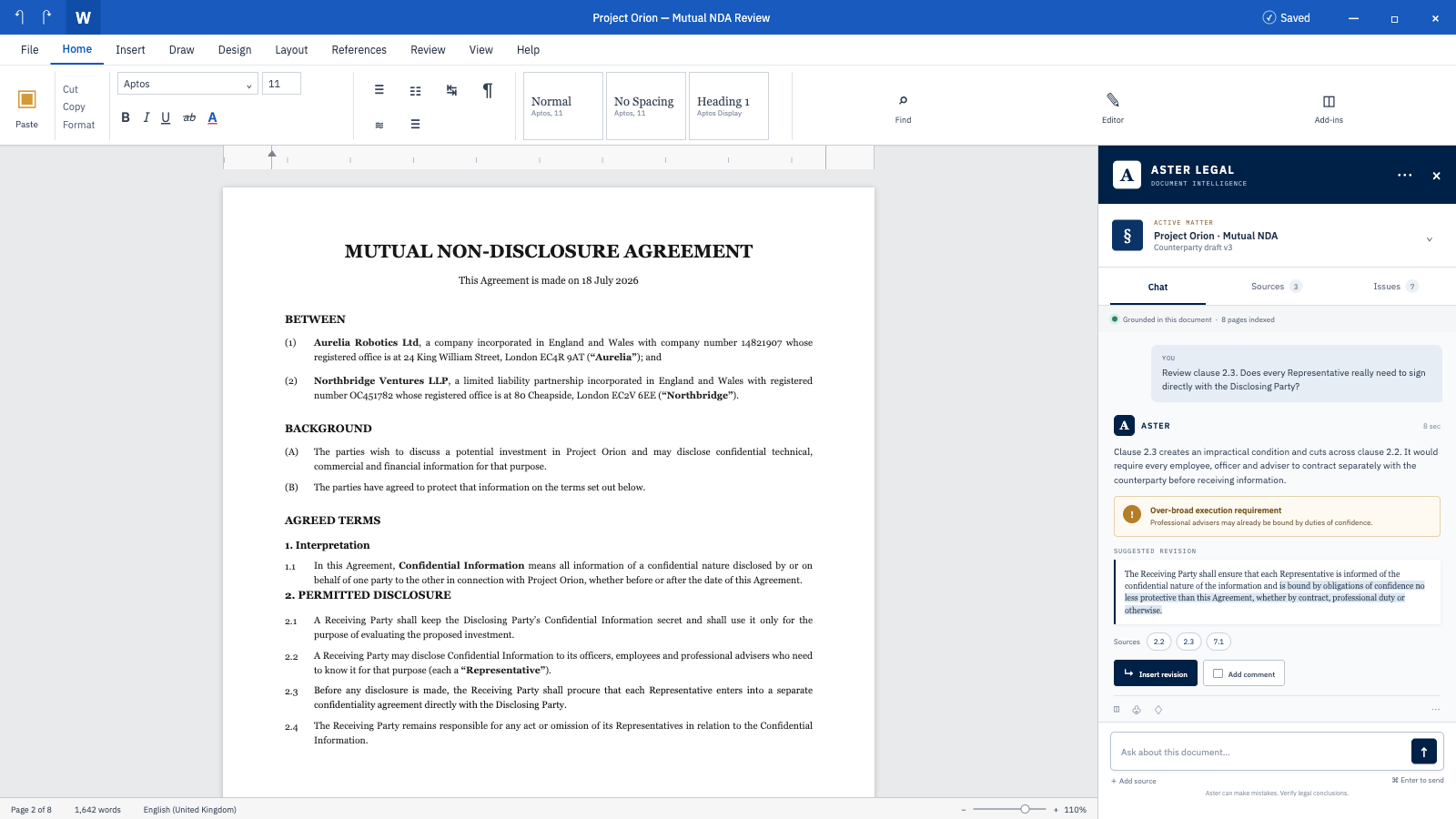
High-quality suggested revisions
Revisions respond to the actual issue while preserving defined terms, connected clauses, drafting style and commercial intent.
The problem
Spotting an issue is only half the work. The revision has to be right.
Contract review depends on context: defined terms, connected clauses, commercial intent and the drafting style of the agreement. Generic assistants could flag a concern, but their suggested language was often shallow, detached from the document and still had to be copied back into Word by hand.
What we built
We helped build a Word-native legal agent that moves from analysis to a usable redline. It reads the agreement in context, researches where evidence is needed, explains the issue, drafts a precise revision and can apply the approved change directly to the open Word document.
Revisions respond to the actual issue while preserving defined terms, connected clauses, drafting style and commercial intent.
Once a lawyer approves a suggestion, the agent inserts the revision or comment directly into the open document without manual copy and paste.
The agent researches before it drafts, exposes its supporting sources and stops when the available evidence is insufficient.
Accuracy is measured on realistic legal questions and reviewed against professional expectations.
Where it stands
From identified issue to reviewed redline, without leaving Word.
The lawyer remains in control: they can inspect the reasoning and sources, review the exact proposed wording and approve the change. The agent then updates the document automatically, removing the copy-and-paste work without hiding the professional judgement behind the edit.